Introducing Anysola Forum
A place to ask about Anysola Chat and Cloud, answer other people’s questions and tell us what to change. Anyone can read it. Sign in with your Anysola account to post.
1 min read
On this page6
Today we’re opening Anysola Forum at forum.anysola.com. Ask a question about Anysola Chat or Cloud, answer someone else’s, or tell us what to change. Anyone can read the forum. To post, sign in with your Anysola account.
Ask in the right place
Every topic goes in one of five categories: General, Chat, Cloud and Feedback, plus Announcements, where only the team posts. Write in Markdown with code blocks and images, mention someone with @, and quote part of a reply when you answer it. Like the replies that helped you.
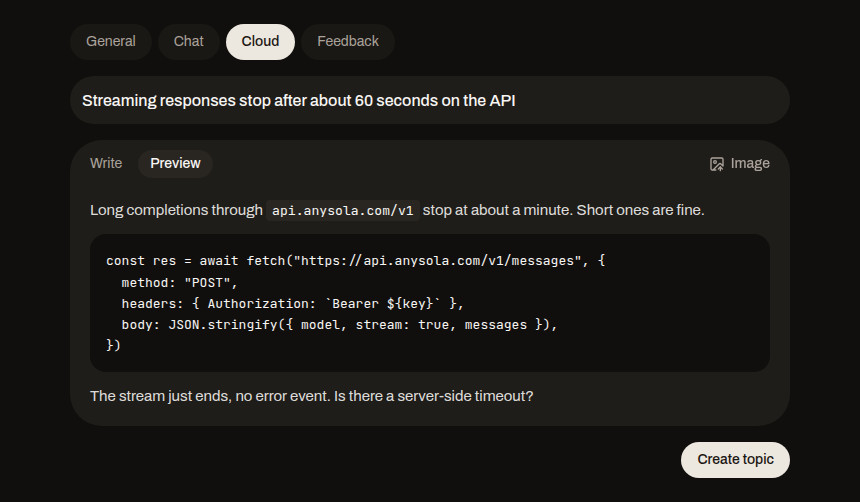
Posts are in English. New accounts start with limits on links and images, and the limits lift over time.
A first answer from Anysola AI
If a topic in General, Chat or Cloud gets no reply for 30 minutes, Anysola AI writes a first answer. Its reply is labeled AI, and the team follows up.
Marked as solved
When a reply answers the question, the person who started the topic or someone from the team can mark it as the Solution. The topic then shows Solved, in the topic list and on its page. Team members have a Team badge next to their name.
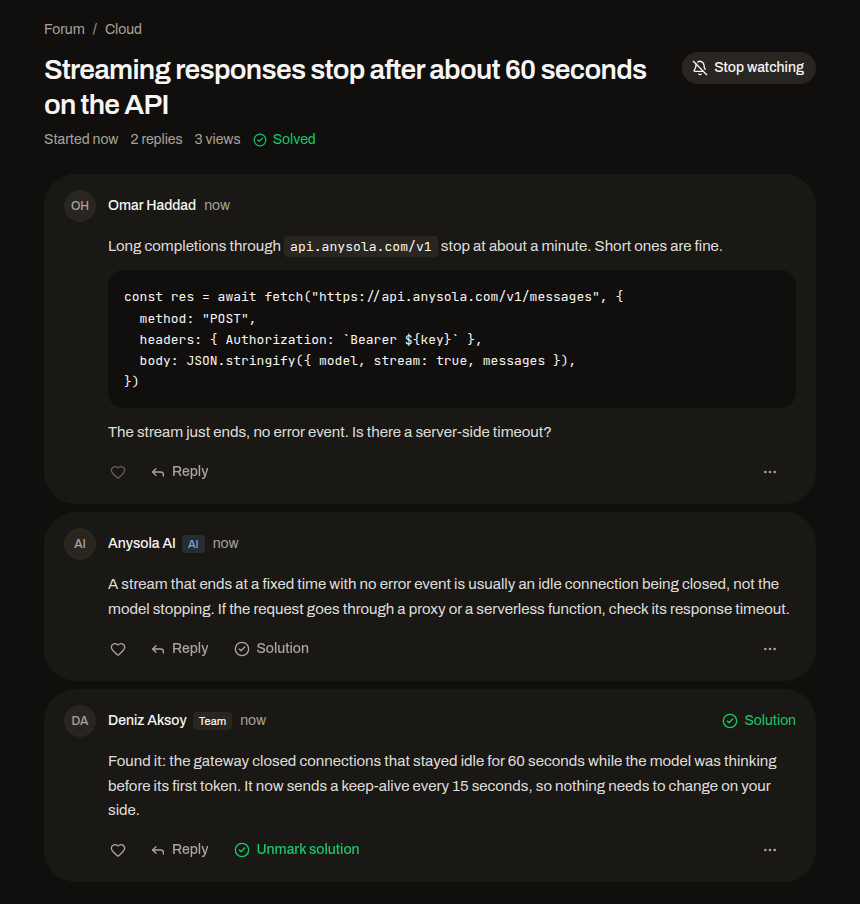
Watch a topic
Watch a topic to get an email and a notification when someone replies. You get one email per topic until you visit it again, and you can turn emails off in the forum settings. Forum notifications also show up in the Notifications inbox in Anysola Account.
Search
Press ⌘K (Ctrl K on Windows) on any forum page to search topics. Someone may have asked your question already.
Try it
- Go to forum.anysola.com
- Sign in with your Anysola account
- Start a topic, or answer one
Questions or ideas? Post them in Feedback.
New posts by email
More news
- Introducing Anysola ChatAnnouncements